CMSC724: Storage — Background
Instructor: Amol Deshpande
This module goes to the lowest level of a data management system: how data is actually stored, and what the tradeoffs are. This first chapter is the hardware and layout background the rest of the module builds on — the storage hierarchy, why hard disks shaped forty years of database research, and how tuples get mapped onto blocks.
Some of this overlaps with CMSC 424; the background review covers the same ground more briefly. The parts worth reading carefully even if the material is familiar are the shifting tradeoffs in Section 5 and the cache-efficiency problem in Section 8, which is what motivates the next chapter.
Passages marked as editorial extensions were written by the notes generator and go beyond the source slides and class discussion.
1. The Storage Hierarchy
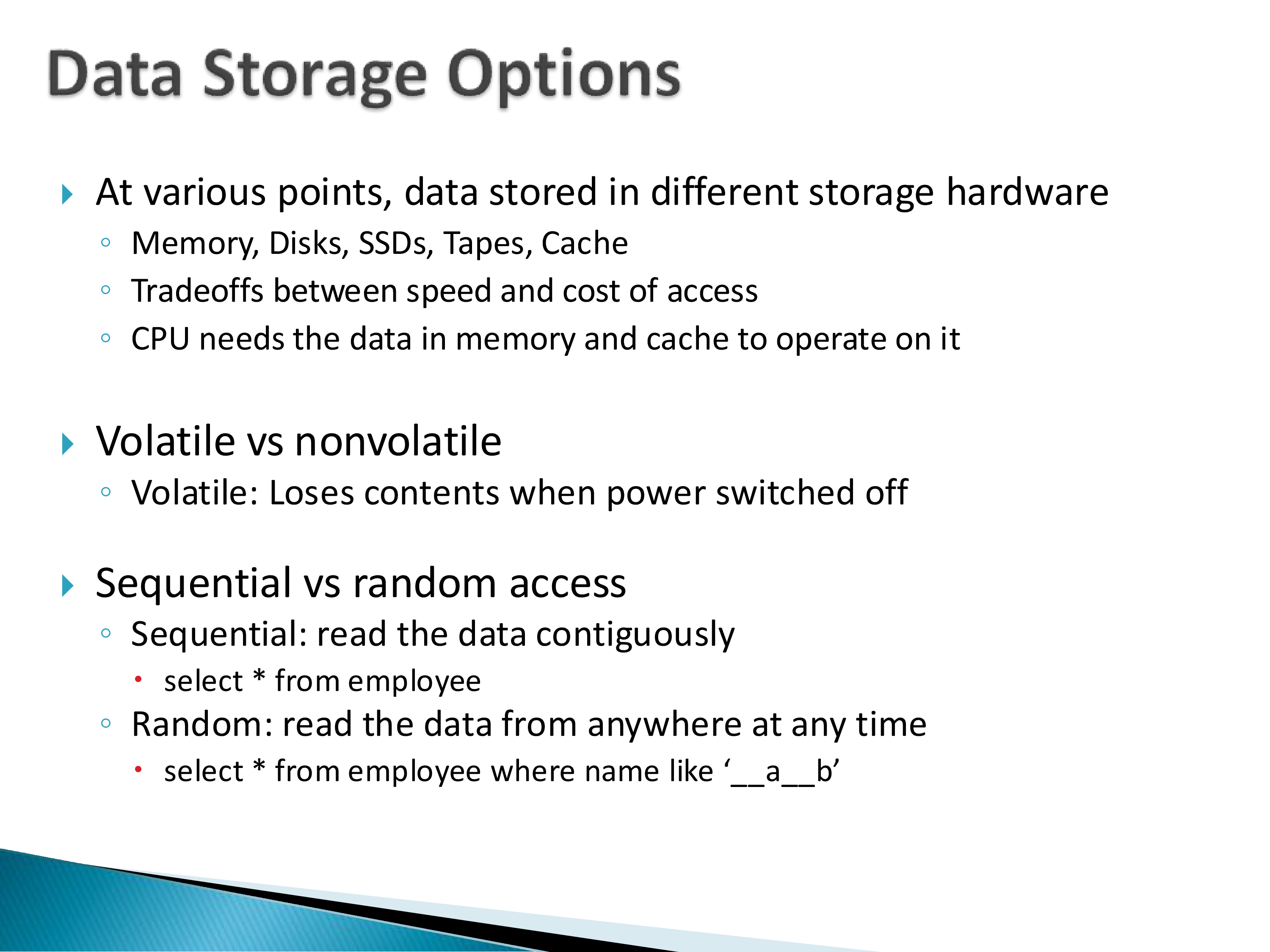
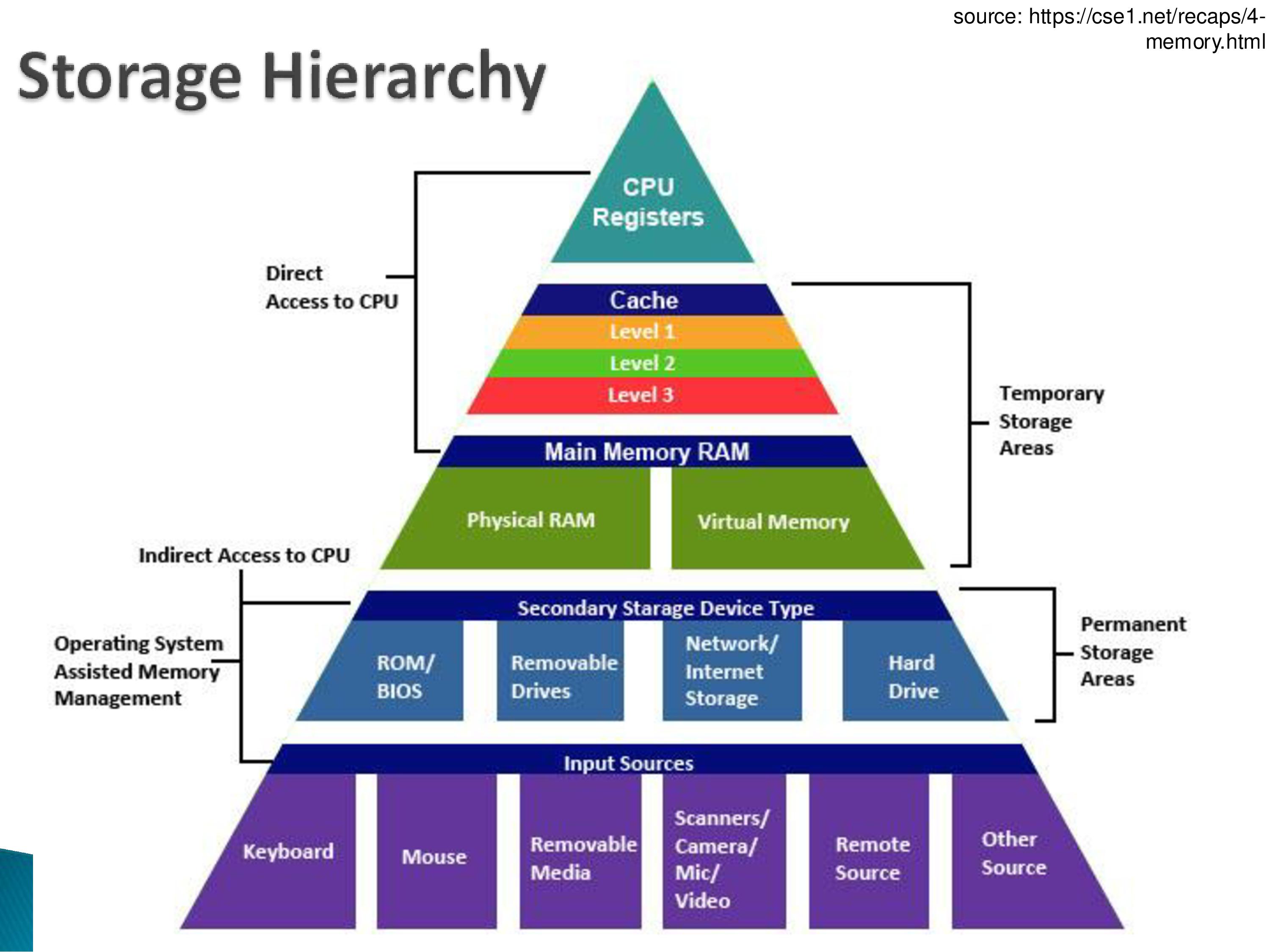
At various points in a data management system — from the bottom all the way to the top — data is stored in different hardware, with tradeoffs between speed and cost of access.
Working from the bottom up: hard drives, SSDs, and removable drives are non-volatile. We typically assume data on them is permanent — if power fails, we are not concerned. That is not absolutely true, and there are ways to make storage more durable still, but it is the assumption we work under. Above those sits physical RAM (with virtual memory as an abstraction on top of it), then caches, then CPU registers. Everything from RAM upward is volatile: lose power and you lose the contents.
The organizing principle is simple. The closer to the CPU, the faster the access. Registers are closest, then cache — which itself has levels — then physical memory.
But there is a shift here worth stating plainly, because it inverts an assumption a lot of older material is built on:
Physical memory is now considered very far from the CPU. That was not true before. Thirty years ago memory was the fast tier. Today, unless data is in L1 or L2 cache, going to get it is a problem — and a main memory access is slow.
When you are processing millions of tuples, those memory accesses become the bottleneck. This is the fact that the entire next chapter is a response to.
2. CPUs and Caches
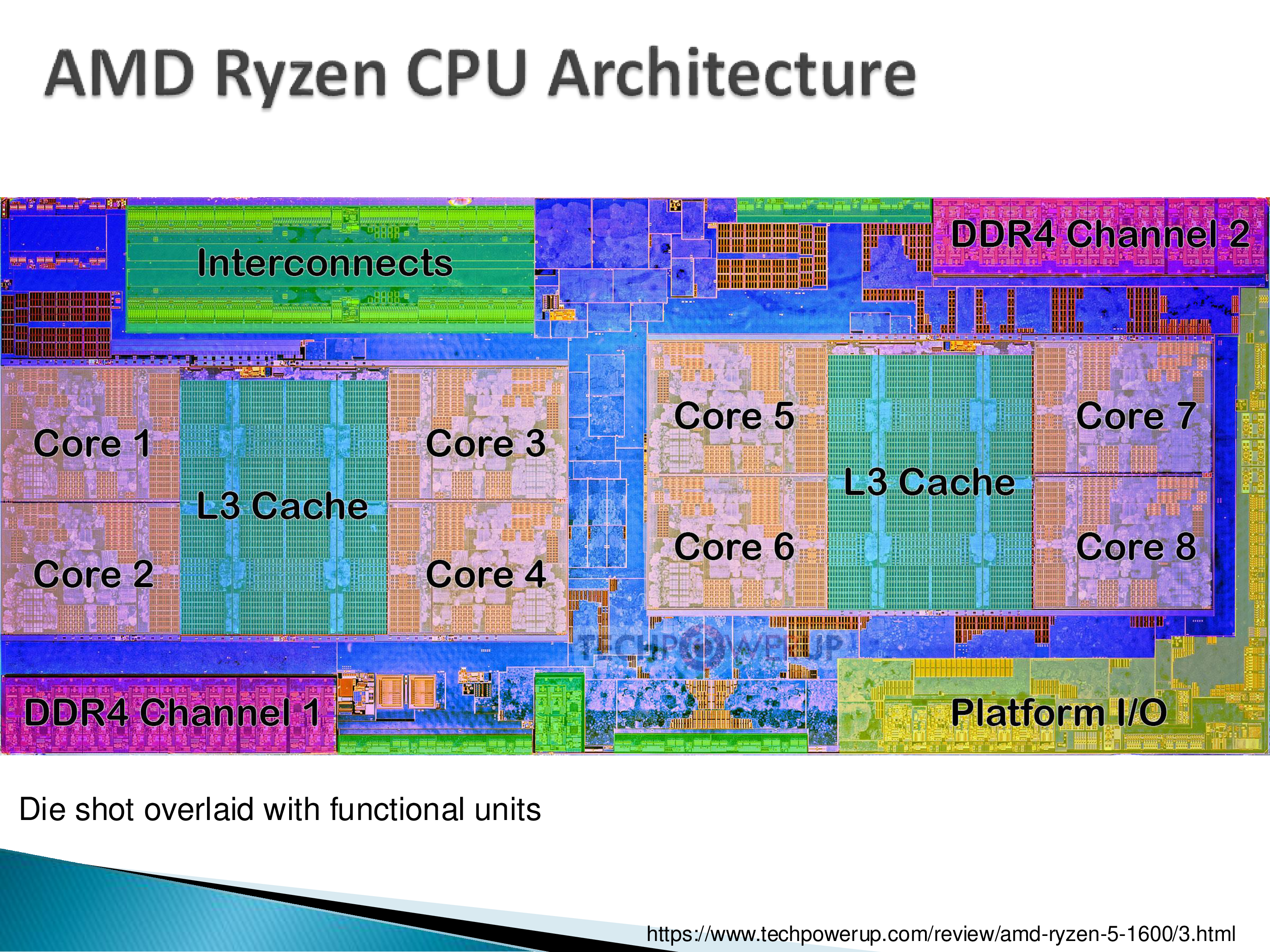
Looking at an actual CPU die — this one an AMD Ryzen with eight cores — you can see the cores and the large L3 caches. You cannot see L1 and L2, because those are inside the cores.
Two things are visible in that layout that explain why hardware has become both complicated and essential to think about:
Cache affinity. Some cores sit next to one L3 cache and others next to another. So: do you place data in the cache nearest the computation, or schedule the work on the core nearest the data? In practice you generally cannot do this — there are too many CPU configurations for scheduling work close to a cache to be straightforward — but it is real, and it matters.
Memory is off-chip, which is a large part of why access is expensive. You physically have to leave the chip to get it.
Cache coherence is a serious problem at the hardware level. If a data item is in one L3 cache and a core attached to a different L3 cache requests it, the updated value has to get there. That is non-trivial, and it is solved in hardware — as far as I know, not in software. Much of the sophistication in modern CPUs is there to solve it.
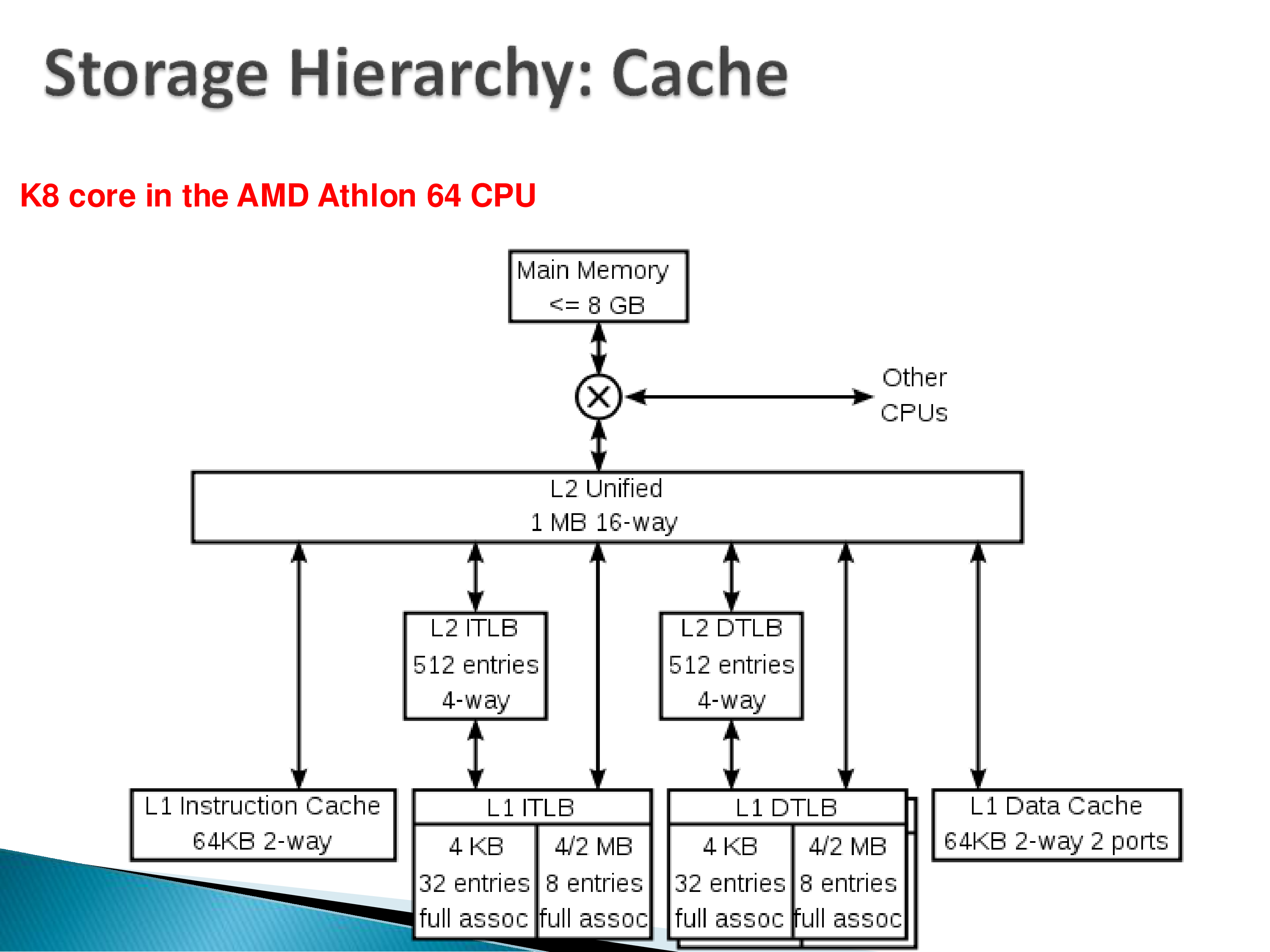
A couple of terms from these diagrams worth knowing:
TLBs. ITLB is the instruction translation lookaside buffer, DTLB the data one. Both exist to tell you what is and is not in the cache. These matter if you work on high-performance systems where you have to tune to the machine you have — people in that world worry about what happens when a TLB is flushed and what the penalty is. Flushing is expensive, and on a context switch you have to flush the caches closest to the CPU, because their contents are meaningless to the next process. We will come back to this when we look at recent query processing work.
Associativity. When you see “fully associative” or “two-way,” this is what it refers to, and it is a genuine difference between caches and memory:
When you bring data from disk into memory, you can put it anywhere — that mapping is handled in software. Caches do not work that way. A particular location in cache can only be used by a restricted set of memory locations, because the mapping is fixed in hardware.
So when you look for a memory location in cache, you do not search the whole cache; you look at one specific place, determined by the mapping. Fully associative means any memory location can map to any cache location. Two-way is very restricted. Caches are hardware devices and all their control is in hardware — which is exactly what makes them different from memory.
Are registers a one-way cache? Registers are fully associative, but they are not really thought of as caches. The CPU cannot see cache directly — anything in cache must be brought into a register before the CPU can operate on it. But since any data can go into any register, and the bookkeeping for where it came from is maintained separately, they sit outside the cache hierarchy conceptually.
3. Hard Disks
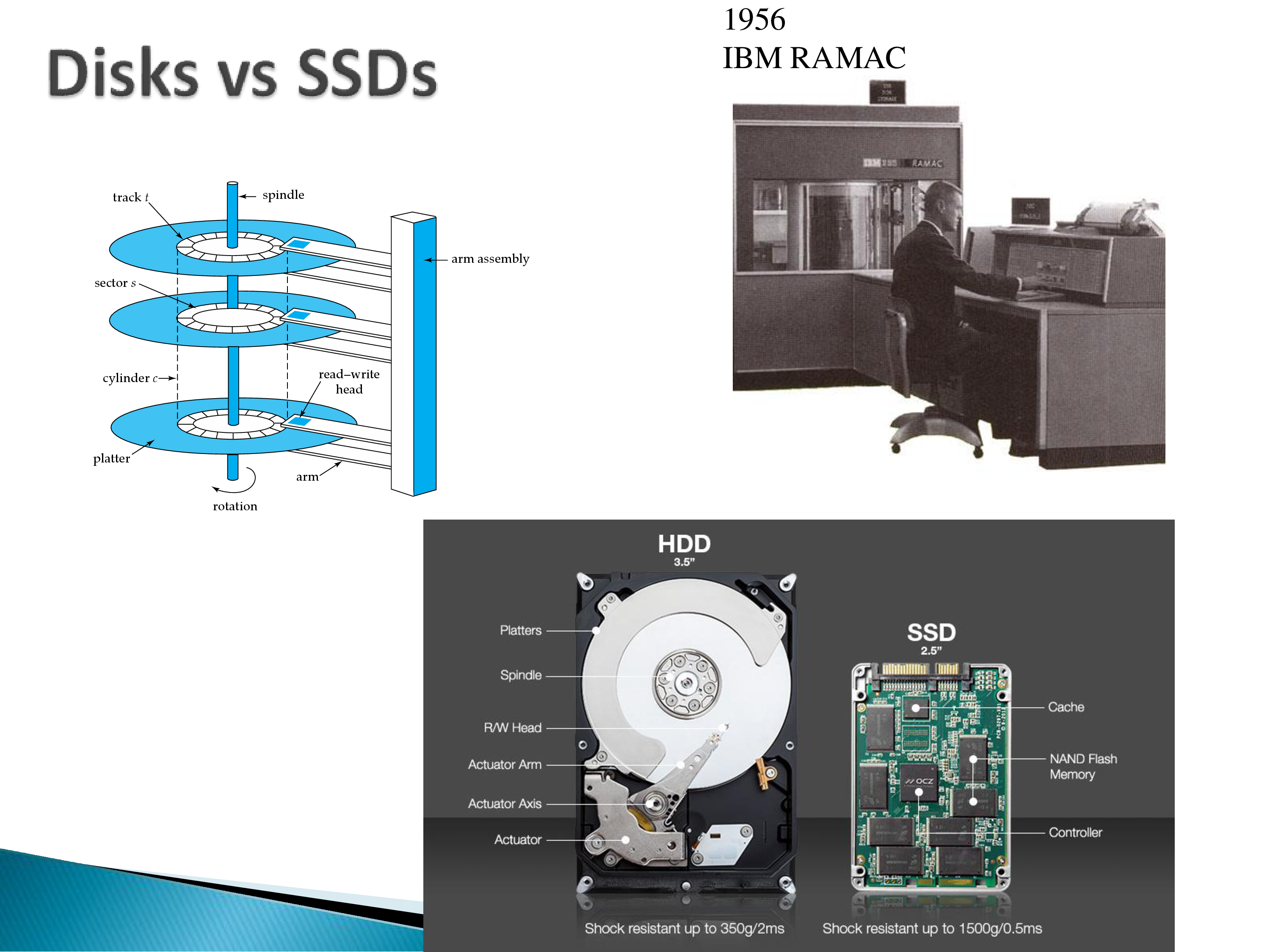
Thirty or forty years of database research was focused entirely on hard disks. We will barely cover them, but papers we read will assume them, so the mechanics are worth understanding.
A hard disk has flat platters that rotate constantly — typically 7,200 RPM, up to about 10,000. Beyond that it becomes difficult: this is a physical disk spinning, and there is a limit before the whole thing comes apart.
The read/write head works magnetically, not optically. The platter material is magnetic; you flip the magnetic orientation north or south. As data passes under the head it induces a current, and the hardware interprets that as a one or a zero. Writing flips the orientation. This is why the head must be extremely close to the platter.
And that proximity is the whole problem. To read a different track, the arm has to lift, move, and set down — repeatedly, while never getting too close to the platter. That puts a hard limit on how fast it can move.
The mechanical technology in hard drives has not improved in twenty or thirty years, because it is at the physical limits of what is possible.
Why not use multiple arms — one per track? There were proposals. But the mechanical tolerances are already extremely tight, and engineering tens or hundreds of arms within them is not feasible. So: one arm, which has to move.
Where improvements have come is areal density — packing more data onto the same track. When capacity goes from 200 GB to 1 TB, that is what changed. What has not changed much is seek time: reading data somewhere else on the disk takes roughly 10 milliseconds. Every disk differs slightly, but 10 ms is the number to carry around.
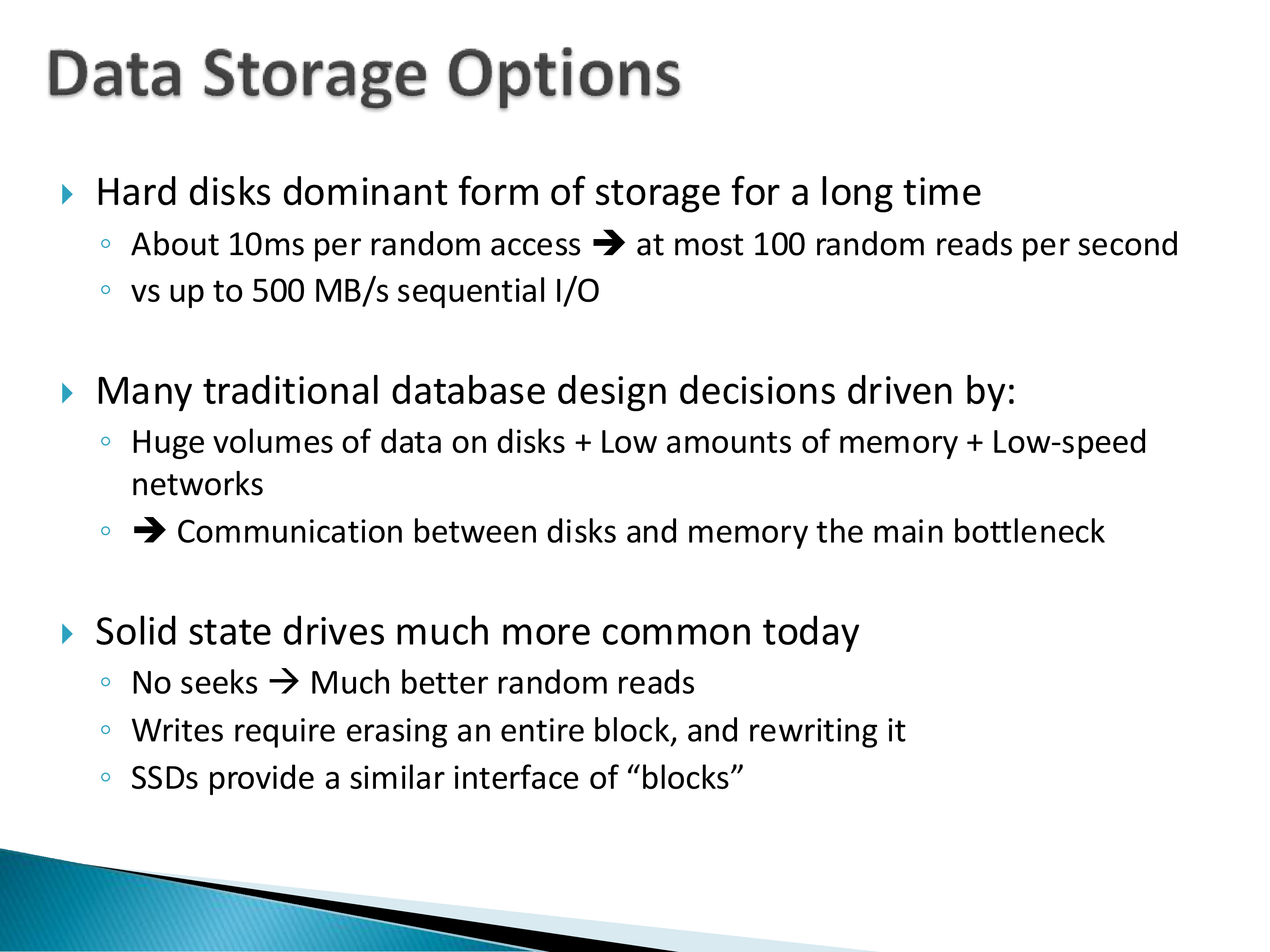
That gives the ratio that shaped decades of system design:
| Hard disk | |
|---|---|
| Random access | ~10 ms → at most ~100 random reads/second |
| Sequential I/O | up to 500 MB/s |
Any paper you read from before 2000 or 2005 will discuss hard drives and be optimized for them. The design assumptions are: most data is on disk, memory is comparatively small, networks are slow — so you are carefully managing what lives where and moving it back and forth.
For scale, the 1956 IBM RAMAC in the figure — with a human standing next to it — stored five megabytes. That was a huge improvement over punch cards.
4. Solid State Drives
SSDs were an enormous improvement and changed how systems are designed. Hard drives are no longer used in operational systems, because they do not make sense there.
An SSD has no mechanical moving parts — you can knock it around and usually nothing happens — and none of the arm-movement problem. Functionally it is close to your RAM with a different, non-volatile technology behind it: NAND flash.
Two properties worth knowing:
No seeks. The random-versus-sequential gap that dominated hard disk design mostly disappears.
Writes are strange. You cannot overwrite a single bit or byte. You have to erase an entire block first and then write into it. That is simply how the technology works, and it has real consequences for anything write-heavy. (If you want the detail, read up on how NAND works.)
SSDs also expose a block interface even though they do not need one — for compatibility with how hard drives worked.
5. Shifting Tradeoffs
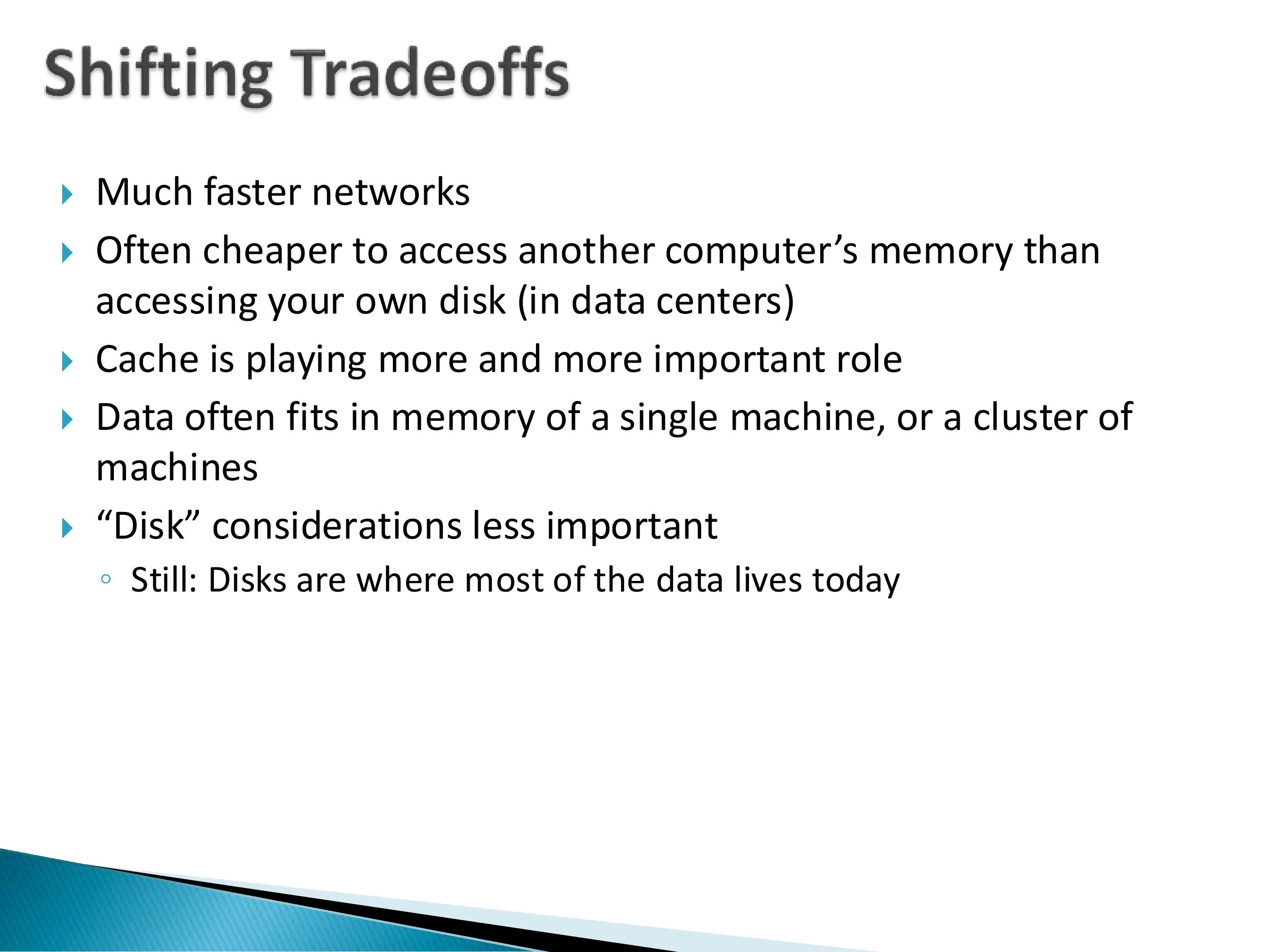
Pulling the hardware picture together, since these are the assumptions the rest of the module operates under:
- Networks are much faster. In a data center it is often cheaper to access another computer’s memory than your own disk.
- Caches are critically important — the thing that used to be an implementation detail is now the bottleneck.
- In-memory databases are ordinary. People largely do not think about not being in memory; if you need more, you buy more, because memory is cheap.
But one caution, which is easy to lose in the enthusiasm:
Do not forget that disks are where the data is. Whether SSD or hard drive, that is still the non-volatile storage we have. The tradeoffs have shifted so we do not care about it as much — but when you are building a system, you are still concerned about it.
6. Mapping Tuples to Blocks
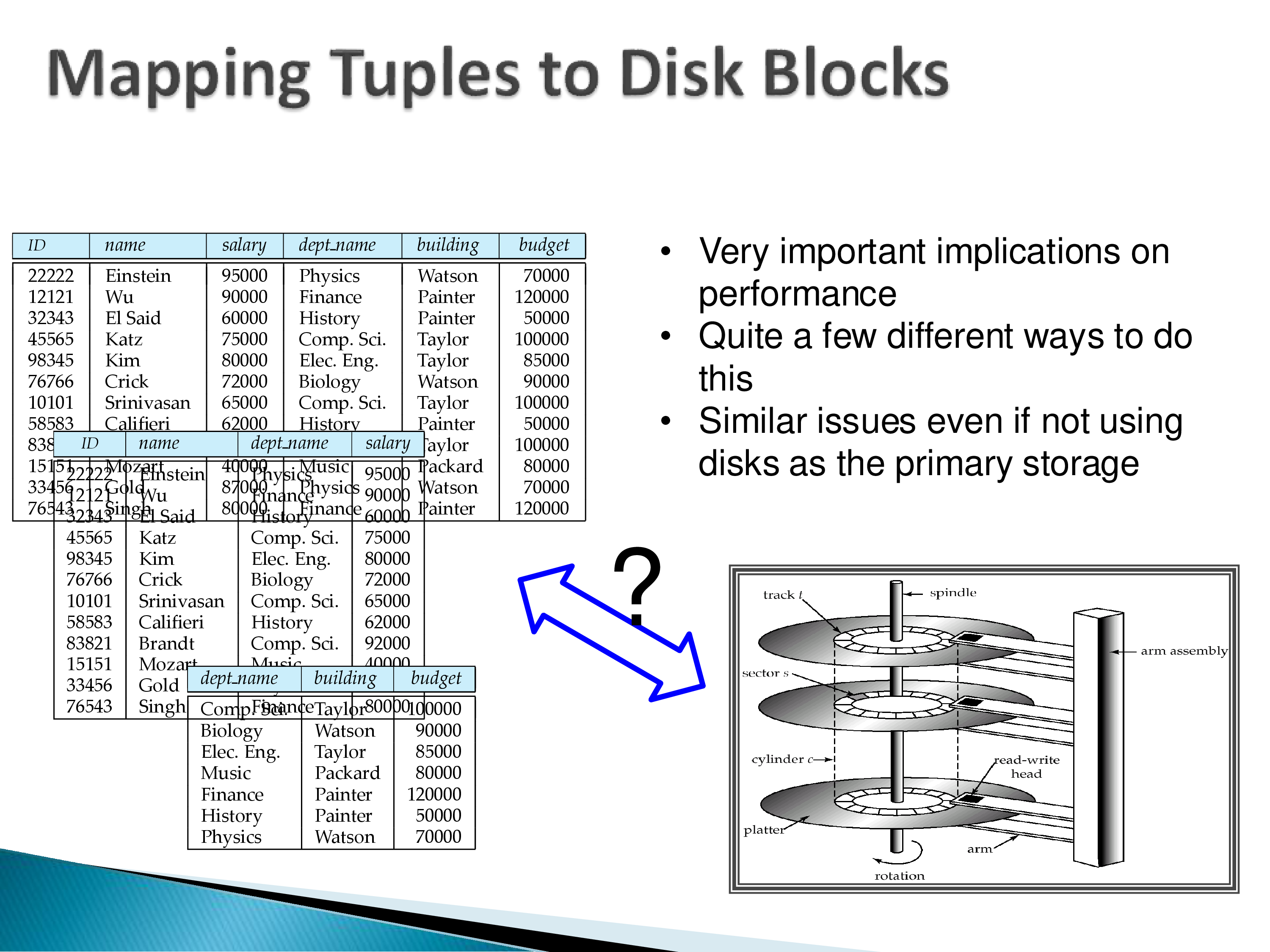
Here is the question the next two papers are really about: how do we map tuples onto disk blocks?
A note on terminology first. We will keep saying “disk block,” but read it generically — whether the underlying thing is a hard disk, an SSD, or memory, the same principle applies. The question is how tuples map onto whatever the underlying abstraction is.
The assumption: the storage device is divided into blocks (the term used for disks and SSDs) or pages (used for memory), with essentially a one-to-one mapping between them — you read a block from disk into a memory page. Say blocks are 8 KB and the tables are megabytes or gigabytes.
The simplest answer: if five tuples fit on a page, the first five go on the first page, the next five on the second, and so on. The other obvious answer, which we will spend the rest of the module on, is to store them column by column instead.
Where do the tables live?
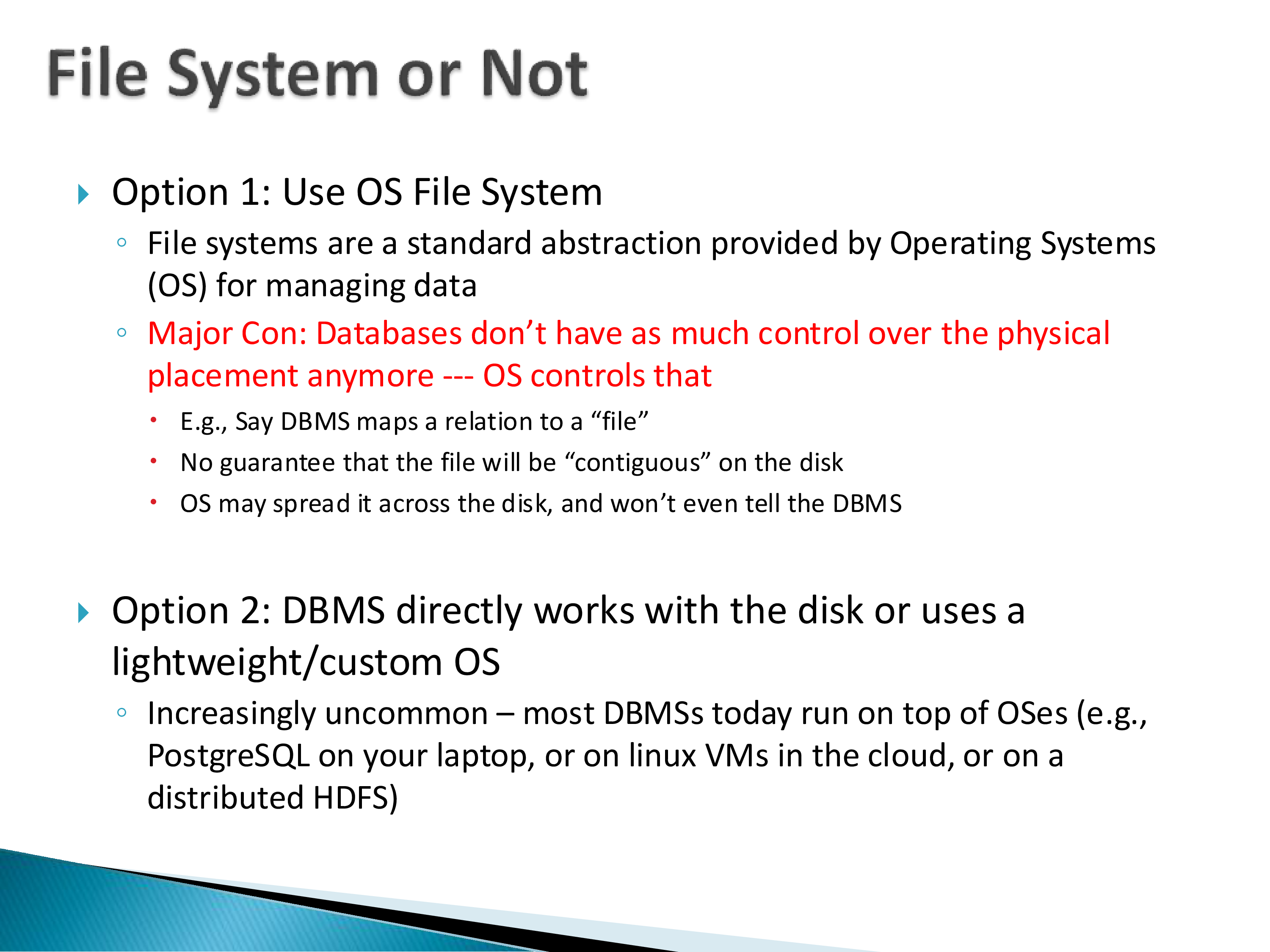
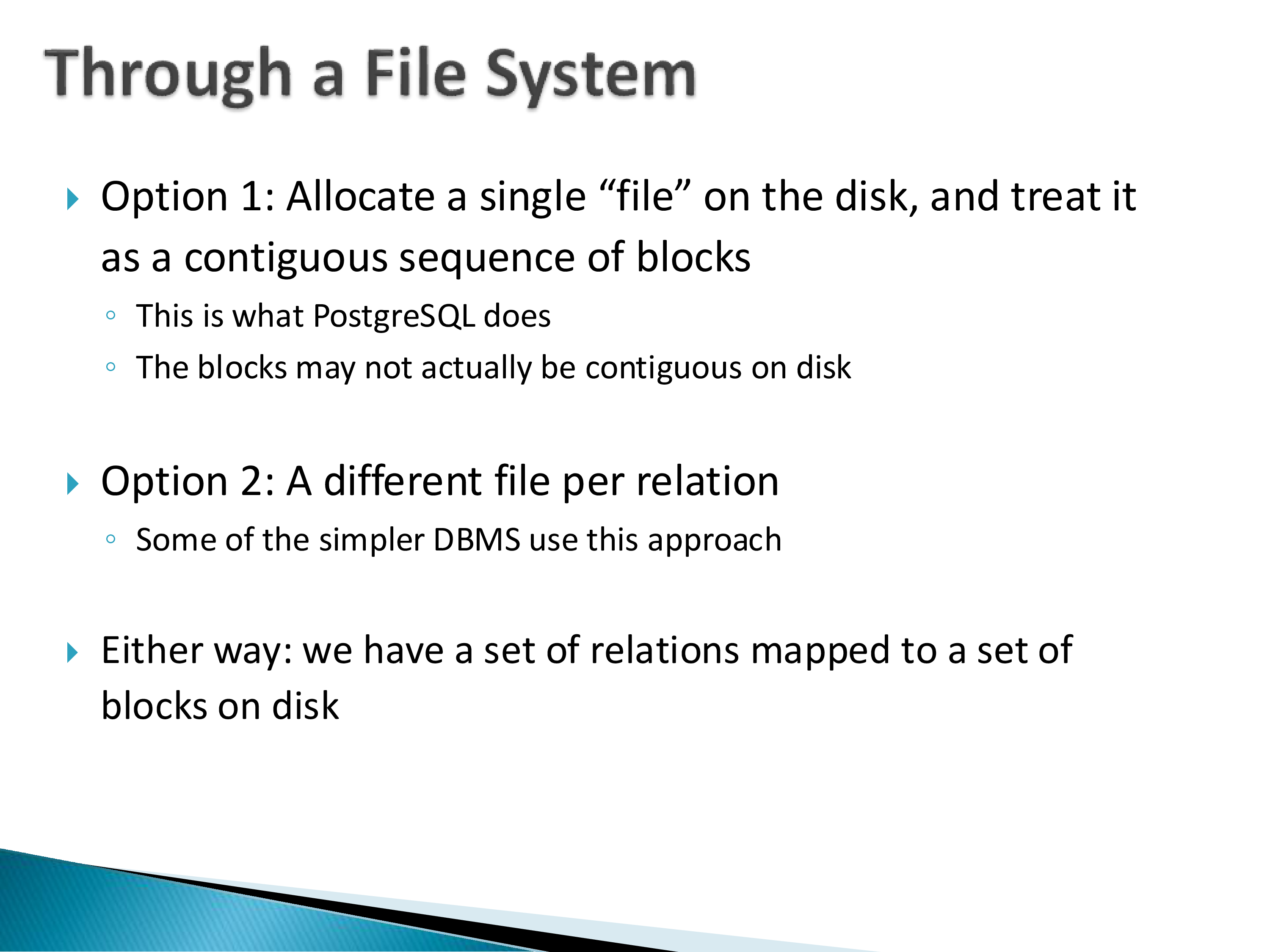
Before the within-block question, there is a between-table question. The standard approach — what PostgreSQL does — is to allocate one very large file and manage regions within it: some pages for instructor, some for student, some for courses.
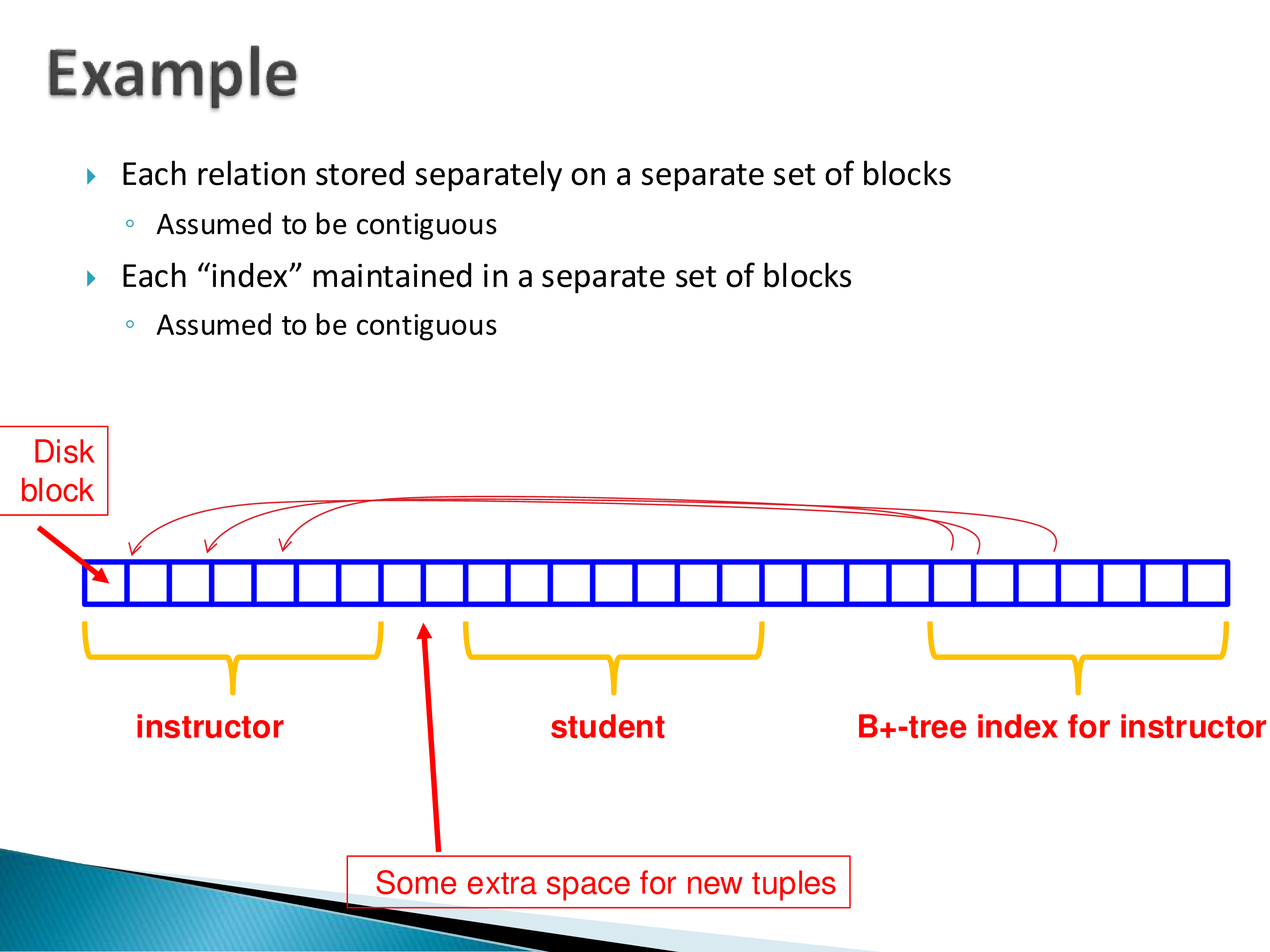
Indexes live in the same file. An index on student contains pointers to student tuples, and those pointers are essentially file offsets — to point at a tuple, take its offset in the file. This is simple enough that it feels like it should not need saying, but it is not discussed in the undergraduate textbooks I know of, and it matters: it is why moving tuples around is hard, as we will see in a moment.
Where do the schemas and data types live? In the catalog, maintained separately. Catalogs are themselves tables on disk, stored very much like ordinary tables, just kept apart.
7. Within a Block: NSM, Free Lists, and Slotted Pages
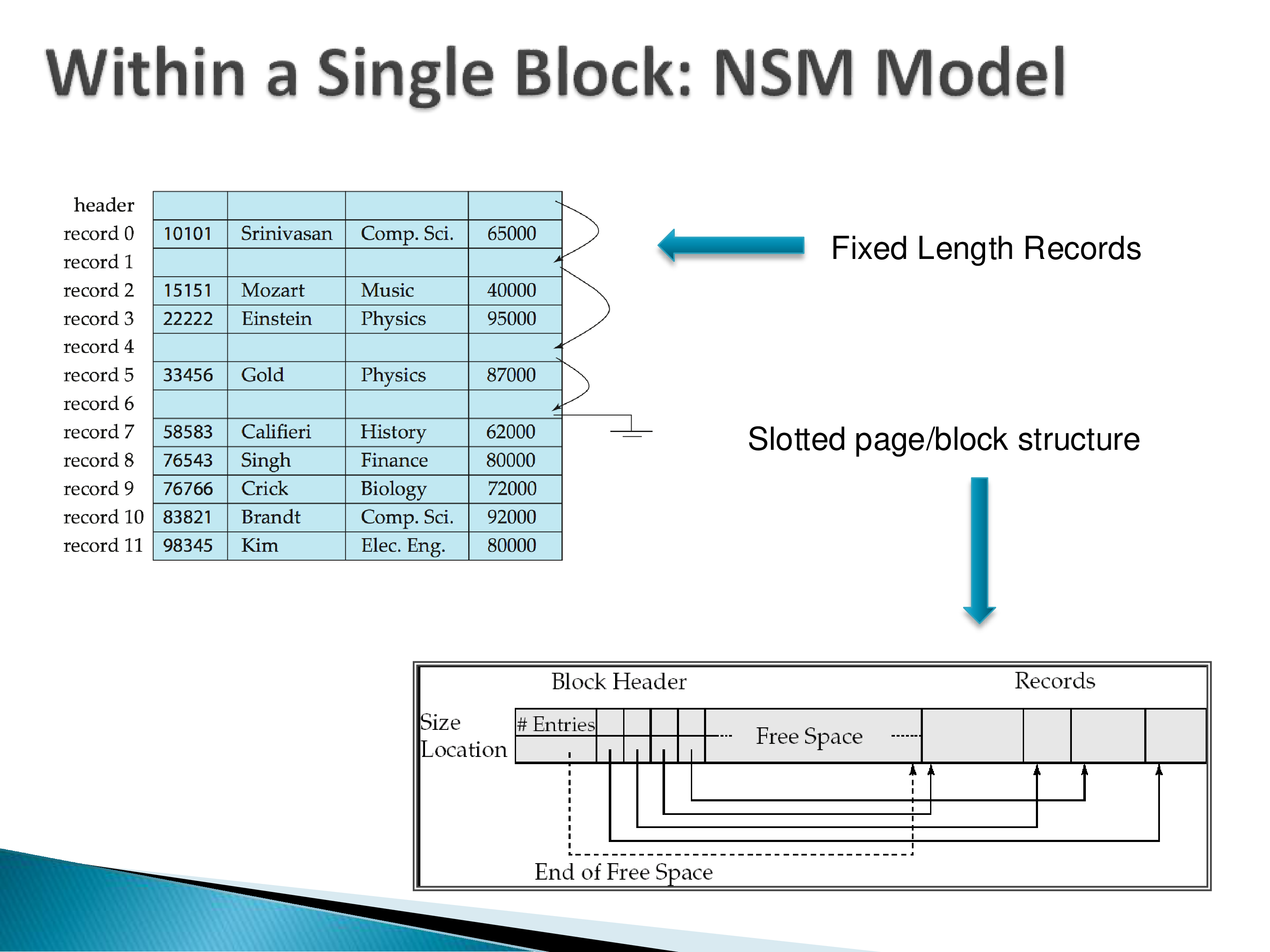
Now the within-block question: given five instructor tuples and a block, how do you actually lay them out? Do you just write them one after another?
If tuples are fixed length, yes — every column takes a fixed number of bytes, the sizing information lives elsewhere, and you can simply go tuple by tuple. This is the NSM layout, for N-ary Storage Model.
Deletion is the first complication. If a record is deleted, you do not compact the page; you leave the space empty and track it in a free list.
Why not just compact the page? Not because of concurrent readers — you could handle that with locking, which you need anyway.
The real reason is pointers. Indexes hold pointers to specific tuples, and there are a great many of them throughout the system. Move a tuple and you have to find and fix every pointer to it.
Variable-length records make it harder. Say records of 10, 20, 5, and 30 bytes. You could keep a little metadata recording where each begins — but when a tuple is deleted you still cannot move things, so the hole stays, and over time fragmentation becomes the problem.
The fix is the slotted page structure, and the idea is neat:
Do not point at a tuple’s location. Point at an entry in the page’s own directory, which records where the tuple currently is.
The block keeps tuple data at one end and a slot array of metadata at the other. When a tuple is deleted, you compact the data within the page, free space grows, and you update that tuple’s slot entry. Whatever was in the third slot stays in the third slot; only its recorded position changes.
The external pointers are unaffected — that is the whole point. It is a simple idea, it has been in databases forever, and it works well.
Worth naming the general move, because it recurs constantly in systems design: the slotted page adds one level of indirection, scoped as narrowly as possible.
The problem is that two things want to vary independently — a tuple’s identity, which must be stable because other structures reference it, and a tuple’s position, which must be free to change so the page can be compacted. Direct pointers conflate the two. The slot array separates them: the slot number is the stable identity, the slot entry holds the mutable position.
What makes it cheap is the scoping. The indirection is inside the page, so following it costs no extra I/O — you already have the page in memory — and reorganization stays local, needing no coordination with anything outside. Compare it to the alternative of a global tuple-ID-to-location map, which would solve the same problem and introduce a shared structure to be looked up, cached, and kept consistent. The design works because the indirection sits at exactly the boundary where the volatility is.
8. Why This Is Not Enough: The Cache Problem
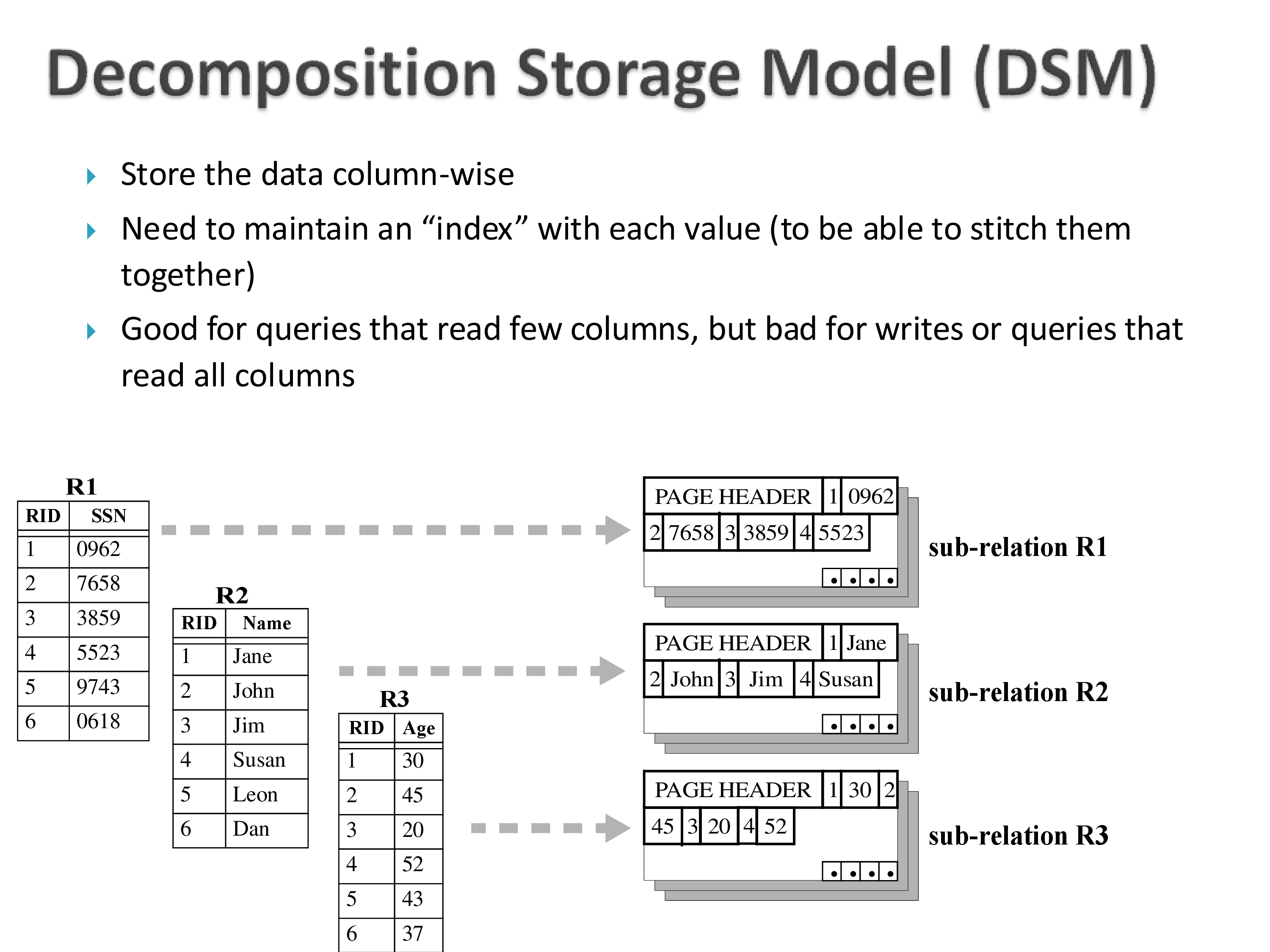
So we have a layout that handles variable-length records and deletion. What is wrong with it on modern hardware?
Nothing — as long as your bottleneck is moving data from disk to memory. That was the assumption, and under it NSM is fine.
The moment the bottleneck shifts, it is no longer sufficient.
Here is the problem. Suppose you are reading only the name column. The names are all in this page, but they are spread across it, one per tuple, separated by all the other attributes. Cache lines are 64–256 bytes, so every line you pull in contains one name and a lot of data you did not ask for.
You bring a great deal of data into the cache in order to use a small fraction of it. The result is a large number of cache misses — or more precisely, you are not using the cache effectively.
Whereas if the names within the page were laid out next to each other, the same scan would be far more cache-efficient.
That is the key idea behind PAX, and the subject of the next chapter. It is a genuinely neat paper, roughly twenty-five years old, and still current — at a conference last week people were still saying “we store it the way PAX does.” Part of why it spread is that it costs so little to adopt:
It changes nothing except how tuples are arranged within a page. Nothing outside the page is affected.